Best Gaming Headsets Under $100 (2026 Buying Guide)
Looking for a solid gaming headset without spending over $100? Here's what to look for and which types of headsets are worth your money.
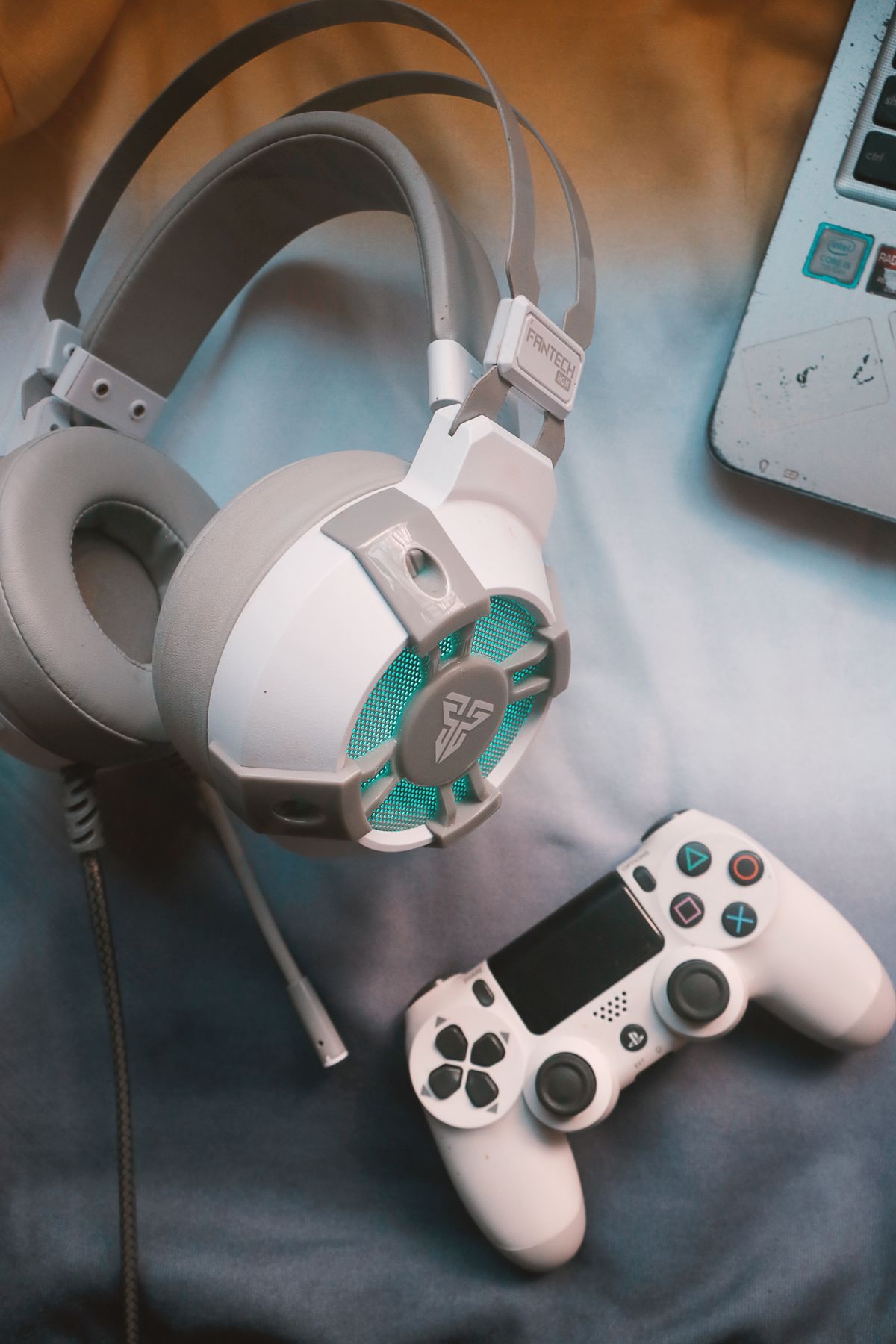
A good gaming headset does more than pipe sound into your ears — in competitive games like Valorant or Apex Legends, accurate positional audio is a genuine advantage. You can hear footsteps before you see enemies, identify reload sounds, and react to cues other players miss. The encouraging news is that you don't need to spend $200+ to get all of that. The $44–$79 range has a handful of genuinely excellent headsets that pro players and streamers reach for on tight budgets.
What to Look For Under $100
Driver size matters, but not in the way marketing suggests. A 50mm driver doesn't automatically sound better than a 40mm one — tuning and frequency response matter more. What you should actually check:
- Clamping force and ear cup material — memory foam ear cushions with leatherette or fabric covering make a significant difference over 2+ hour sessions. Hard plastic ear cups cause hotspots on the ears even with a comfortable headband.
- Microphone type — a detachable boom mic consistently outperforms a built-in or retractable mic at this price point. The HyperX Cloud II and Razer BlackShark V2 X both use removable boom mics; you can run them without a mic for music listening, which is a nice bonus.
- Wired vs. wireless — at sub-$100, wired headsets win. Wireless technology at this price means you're paying for a mediocre battery and transmitter instead of better drivers and cushioning. The exception is if you specifically need cable-free console gaming, where wireless becomes worth the audio trade-off.
- Virtual surround sound — 7.1 virtual surround via USB DAC (like the HyperX Cloud II's included dongle) can genuinely help with positional audio in games, but it sounds worse for music. Look for headsets where you can toggle it off.
- Platform compatibility — most wired headsets work on PC, PS5, Xbox, and Switch via 3.5mm. Confirm USB models work on your specific platform before buying.
Top Picks at a Glance
| Headset | Best For | Driver | Price | Platform |
|---|---|---|---|---|
| HyperX Cloud II | Best all-around | 53mm | ~$49 | PC, PS, Xbox, Switch |
| SteelSeries Arctis Nova 1 | Best comfort | 40mm | ~$44 | PC, PS, Xbox, Switch |
| Corsair HS55 Stereo | Most versatile | 50mm | ~$49 | PC, PS, Xbox, Switch, Mobile |
| Razer BlackShark V2 X | Best for competitive | 50mm Triforce | ~$59 | PC, PS, Xbox, Switch |
HyperX Cloud II — Best All-Around
The Cloud II has been a go-to recommendation for years for good reason: it's genuinely comfortable, sounds balanced for both gaming and music, and the included USB audio card gives you virtual 7.1 surround without needing a separate DAC. The 53mm drivers are tuned for a slightly V-shaped sound profile — bass and treble emphasized, mids slightly recessed — which works well for gaming and doesn't feel fatiguing during long sessions.
Specs: 53mm dynamic drivers, 15–25,000 Hz frequency response, 98 dB sensitivity, 60Ω impedance, 336g, includes USB audio card for 7.1 surround, detachable mic with noise cancellation.
Pros: Excellent build quality for the price (aluminum frame), memory foam ear cushions with leatherette covering, works on every major platform, virtual surround actually useful for FPS games.
Cons: 336g is on the heavier side compared to newer competitors, leatherette gets warm during long sessions, mic is decent but not exceptional for streaming.
SteelSeries Arctis Nova 1 — Best for Comfort
If you wear glasses or play for 3+ hour sessions, the Arctis Nova 1 should be your first look. SteelSeries' ski-goggle-style headband is genuinely different from a standard padded headband — it distributes weight across the top of your head rather than clamping at your temples, which eliminates hotspots for glasses wearers almost entirely. At 40mm drivers it's a step down in driver size from the Cloud II, but the tuning is clean and neutral, which actually makes music sound more natural.
Specs: 40mm neodymium drivers, 20–22,000 Hz frequency response, 91 dB sensitivity, 32Ω impedance, 158g, ClearCast Gen 2 flip-to-mute mic.
Pros: Lightest in the comparison at 158g, ski-goggle suspension headband is uniquely comfortable, flip-to-mute mic is convenient, works on all platforms via 3.5mm.
Cons: No USB DAC or virtual surround (3.5mm only), 40mm drivers won't satisfy bass-heavy listeners, ear cushion material is fabric which can absorb sweat over time.
Corsair HS55 Stereo — Most Versatile
The HS55 Stereo is the practical choice for gamers who switch between platforms regularly. It works on PC, PS5, Xbox Series X, Nintendo Switch, and mobile via 3.5mm — no adapters needed on any of them. The 50mm drivers support Dolby Audio spatial sound when connected to a PC, and the memory foam ear cushions use a breathable mesh fabric instead of leatherette, which keeps heat down during long sessions. Build quality is solid plastic with a metal headband adjustment slider that doesn't feel like it'll snap.
Specs: 50mm neodymium drivers, 20–20,000 Hz frequency response, 107 dB sensitivity, 32Ω impedance, 260g, omnidirectional mic with Discord-certified noise filtering, Dolby Audio support on PC.
Pros: Works on every platform without adapters, Dolby Audio support on PC, breathable mesh ear cushions, Discord certified microphone, strong value at ~$49.
Cons: Omnidirectional mic picks up more background noise than a cardioid or boom mic design, plastic build doesn't feel as premium as the Cloud II, bass response is moderate.
Razer BlackShark V2 X — Best for Competitive Play
The BlackShark V2 X is purpose-built for competitive FPS gaming. The 50mm Triforce Titanium drivers are tuned with a wider soundstage than the competition and better clarity in the upper midrange — which is exactly where footsteps and reload clicks sit in most shooters. At 240g it's noticeably lighter than the Cloud II, and the cardioid microphone does a better job of rejecting background noise during voice chat. The passive noise isolation from the ear cup design also cuts ambient sound without needing active noise cancellation.
Specs: 50mm Triforce Titanium drivers, 12–28,000 Hz frequency response, 100 dB sensitivity, 32Ω impedance, 240g, cardioid mic with -45 dBV sensitivity, detachable mic.
Pros: Best positional audio in the comparison for competitive FPS, lightweight at 240g, cardioid mic reduces background noise pickup, detachable mic for mic-free use, comfortable over-ear cushions.
Cons: Highest price in this group at ~$59, leatherette ear cushions run warm, memory foam compression is less than the Cloud II over long sessions.
Wired vs. Wireless at This Price Range
The honest answer is: don't buy wireless under $100. Here's why. A good wireless gaming headset requires a quality 2.4GHz receiver, solid battery management circuitry, and drivers good enough to justify the design. All of that costs money that comes directly out of audio quality and build materials at this price tier. The budget wireless headsets that exist in this range typically use Bluetooth (which adds 30–80ms latency, noticeable in competitive play) or a cheap proprietary dongle with variable signal quality.
Save wireless for the $100–$150+ range where you're getting something like the SteelSeries Arctis 7+ or the Corsair HS70, where the wireless implementation is actually engineered well. For under $100, a good wired headset will always outperform a budget wireless one at the same price.
The one exception: if you play exclusively on PS5 from a couch at 10+ feet from your console, wireless starts to make sense just for the cable management. In that specific case, look at the Sony PULSE 3D (~$79), which is Sony's own wireless headset with proper PS5 Tempest 3D Audio support.
Frequently Asked Questions
Do I need a sound card or USB DAC for a headset in this range? Not unless you want virtual surround sound. The HyperX Cloud II includes a USB audio card in the box. For all others, plugging into your motherboard's 3.5mm jack is perfectly fine — modern motherboard audio is clean enough that you won't hear a difference without a DAC.
What's the difference between 7.1 surround and stereo? Virtual 7.1 surround is software-processed stereo audio that simulates directional cues. It can genuinely help with positional audio in FPS games but makes music sound weird and artificial. The best headsets let you toggle it; if you can't turn it off, stick with true stereo.
Will these headsets work on PS5 and Xbox Series X? All four will work via the 3.5mm port on the controller. The USB audio card included with the Cloud II won't work on PS5 or Xbox directly — use the 3.5mm connection for consoles.
How important is microphone quality for casual gaming? For casual party chat, any mic on this list is more than sufficient. If you're streaming or recording, the Razer BlackShark V2 X's cardioid mic is the best of the group, though still not a replacement for a standalone USB condenser mic.
Bottom line: The HyperX Cloud II is the safest all-around recommendation for most gamers — proven track record, comfortable for long sessions, works everywhere, and the included virtual surround is genuinely useful. If comfort over long sessions is your top concern, the Arctis Nova 1's suspension headband is hard to beat. For competitive FPS where positional audio and mic clarity matter most, the Razer BlackShark V2 X earns its slight price premium.
Jordan Reyes
Hands-on PC builder and gaming hardware writer at GameInfoZone. Focused on practical, no-hype advice for everyday gamers.
Need Help With Your Gaming Setup?
From custom builds to fixing low FPS and lag, our techs can help you get the most out of your gaming PC.
Request Gaming PC HelpGet Gaming Deals & Setup Tips
Join the GameInfoZone newsletter for gaming gear deals, PC build tips, and performance guides.
Related Articles

Best Steam Deck Accessories
The accessory categories that actually improve the Steam Deck experience, with a comparison of common options.
Best Gaming Monitor for PS5 and Xbox Series X
What specs actually matter when choosing a gaming monitor for PS5 or Xbox Series X, plus a comparison of common monitor types.
Best Gaming Mouse for FPS Games
What actually matters in a gaming mouse for FPS titles, plus a comparison of mouse types to help you pick the right one for your grip and budget.