Best Gaming Mouse for FPS Games
What actually matters in a gaming mouse for FPS titles, plus a comparison of mouse types to help you pick the right one for your grip and budget.
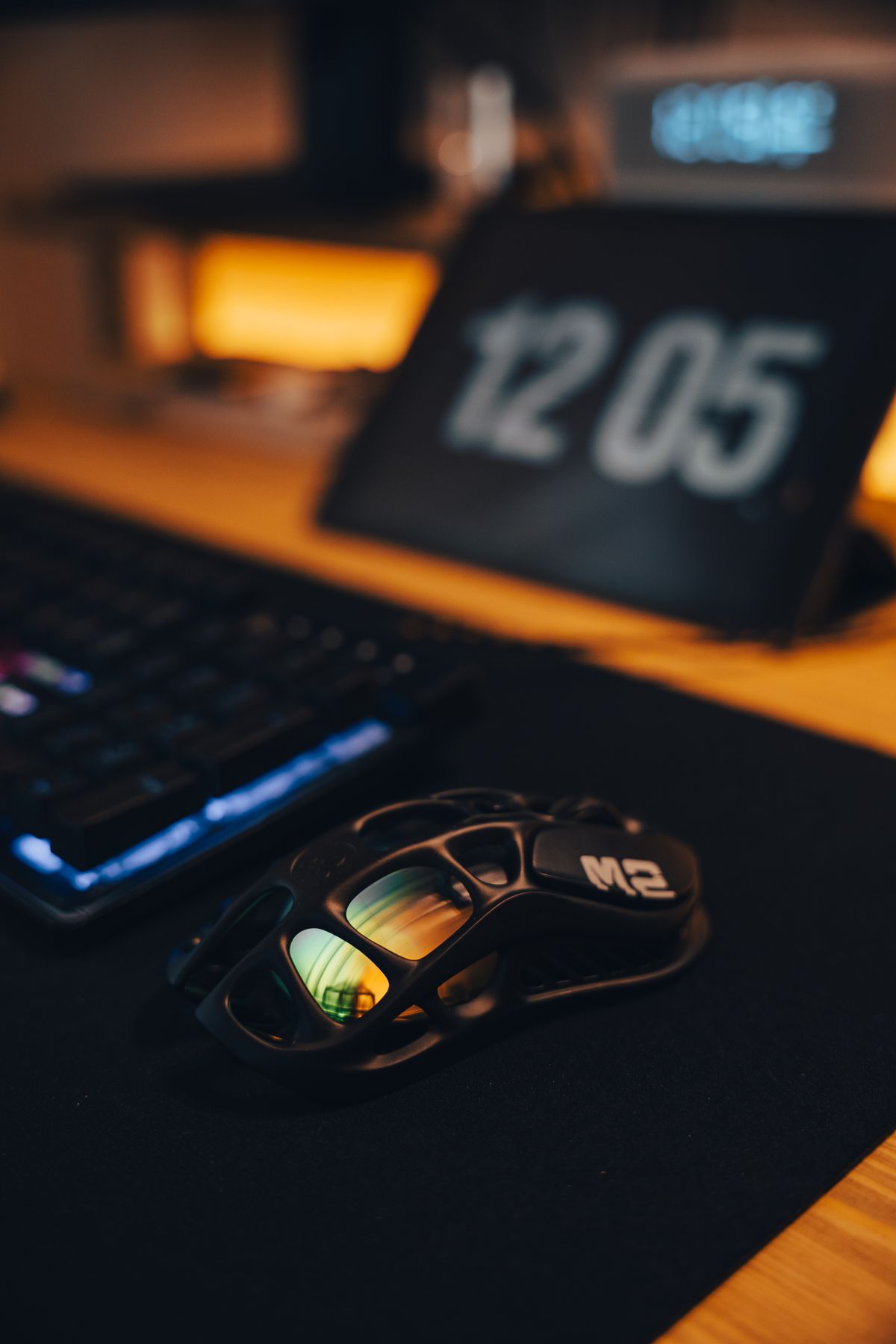
Your mouse is the most direct connection between your hand and your aim — more so than your monitor refresh rate, your headset, or your mousepad. A bad sensor, excessive weight, or a shape that doesn't match your grip style will cap your performance no matter how much you practice. The good news: mice have gotten dramatically better and cheaper over the last few years. There's no longer a massive gap between a $50 mouse and a $150 one in terms of sensor accuracy. The differences that remain — weight, wireless implementation, polling rate, and shape — are real but increasingly personal.
What Actually Matters for FPS Play
Sensor quality used to be the thing to obsess over. Today, any mouse using a PixArt PAW3395, PAW3950, or Logitech HERO 2 sensor is essentially flawless for gaming — no acceleration, no smoothing, sub-1µm tracking accuracy. If a mouse you're considering has one of those sensors, cross sensor quality off your checklist. Budget mice from Pulsar and Attack Shark in the $40–$60 range now ship with the same PAW3395 that's in $150 competition mice.
Weight is where you'll feel the most immediate difference. Under 60g moves fast and naturally for flick-shot accuracy; over 80g starts to feel like you're dragging the mouse through each swipe. Most competitive FPS players land between 55–75g for a reason. If you play low sensitivity (large arm movements), lighter is generally better. If you play high sensitivity with mostly wrist aim, you have more flexibility.
Shape is the most subjective spec and the one most ignored by buyers. A mouse that doesn't fit your hand and grip style will be uncomfortable after an hour and actively hurt your aim consistency. Know your grip style before buying.
Polling rate is measured in Hz — how often per second the mouse reports its position to your PC. Standard is 1000Hz (1ms). Some newer mice offer 4000Hz or 8000Hz. The difference between 1000Hz and 4000Hz is noticeable in very fast movements at high DPI, but for most players 1000Hz is perfectly adequate. Don't buy a worse mouse just because it has a higher polling rate option.
Top Picks at a Glance
| Mouse | Best For | Weight | Sensor | Price |
|---|---|---|---|---|
| Logitech G Pro X Superlight 2 | Best overall | 60g | HERO 2 | ~$149 |
| Razer DeathAdder V3 | Best ergonomic | 59g | Focus Pro 30K | ~$69 |
| Pulsar X2 Mini | Best budget FPS | 52g | PAW3395 | ~$54 |
| Zowie EC2-CW | Best wireless ergonomic | 77g | 3610 sensor | ~$99 |
| Razer Viper V3 HyperSpeed | Best value wireless | 82g | Focus X | ~$79 |
Logitech G Pro X Superlight 2 — Best Overall
The Superlight 2 is what most competitive players who can spend freely will reach for. At 60g with Logitech's HERO 2 sensor, it's flawless in accuracy and battery life (70+ hours on a charge), and the 2.4GHz LIGHTSPEED wireless runs at sub-1ms latency — meaningfully better than Bluetooth and on par with wired in practice. It's symmetrical and low-profile, which suits claw and fingertip grippers particularly well. The main legitimate complaint is that the buttons have a slightly mushy feel compared to top-tier wired mice, and at $149 it's a hard sell when the Pulsar X2 Mini does 90% of what it does for a third of the price.
Specs: 60g, HERO 2 sensor (100–32,000 DPI, up to 500 IPS, 40G acceleration), LIGHTSPEED 2.4GHz wireless, 4000Hz polling via LIGHTSPEED, 70-hour battery, 5 programmable buttons.
Pros: Best-in-class wireless implementation, extremely light for a wireless mouse, excellent battery life, proven in competitive esports at the highest level.
Cons: $149 is hard to justify given how good $50–$70 mice have become, symmetrical shape doesn't suit large-handed palm grippers well, side buttons are small and occasionally awkward to reach.
Razer DeathAdder V3 — Best Ergonomic Pick
The DeathAdder series has been the default ergonomic FPS recommendation for over a decade, and the V3 is the best version yet. At 59g it's impressively light for a right-handed ergonomic mouse — previous DeathAdders hovered around 100g. The Focus Pro 30K sensor is excellent, the asymmetric shape puts your ring finger in the right place for a natural grip, and the optical switches (45M rated click life) are noticeably snappier and more consistent than mechanical switches without the double-click problems that plague older mice.
Specs: 59g, Focus Pro 30K optical sensor (100–30,000 DPI adjustable), optical mouse switches, 1000Hz polling (wired version), right-handed ergonomic design, textured side grips.
Pros: Perfect ergonomic shape for medium-to-large right hands, optical switches are fast and reliable, 59g is remarkably light for this form factor, excellent at the $69 price point.
Cons: Right-handed only (left-handed players have almost no options in this category), 1000Hz polling vs. 4000Hz on more expensive options, textured sides show wear over time.
Pulsar X2 Mini — Best Budget FPS Mouse
The Pulsar X2 Mini is the mouse that genuinely shocked reviewers when it launched: 52g, PAW3395 sensor, symmetrical ambidextrous shape, clean button feel, and a price of ~$54. The PAW3395 sensor is the same one used in mice costing three times as much. At 52g it's lighter than the Superlight 2. The main trade-off is that it's wired (Pulsar makes a wireless version, the X2V2 Wireless, for ~$79), the side buttons are a bit small, and the build quality feels slightly less premium than Logitech or Razer. But for pure FPS gaming performance per dollar, nothing touches it.
Specs: 52g, PAW3395 sensor (100–26,000 DPI, 650 IPS tracking speed, 50G acceleration), polling rate 125/250/500/1000Hz, symmetrical ambidextrous design, 1.8m paracord cable.
Pros: Exceptional sensor at this price, lightest mouse in this comparison, ambidextrous design works for both hands, paracord cable reduces drag, strong value proposition.
Cons: Wired only (wireless version costs ~$25 more), smaller size suits small-to-medium hands best, side buttons feel slightly shallow, less brand recognition means fewer regional return options.
Matching Shape to Grip Style
Getting this right matters more than any spec.
Palm grip (entire palm rests on mouse): You want a longer, taller mouse with a pronounced hump. The Razer DeathAdder V3, Logitech G502 X, and Zowie EC series suit this well. Symmetrical flat mice like the Pulsar X2 feel cramped for large-handed palm grippers.
Claw grip (fingertips and base of palm contact, palm arched): A mid-height mouse with accessible buttons works best. The HyperX Pulsefire Haste 2 and Razer Basilisk V3 X HyperSpeed are well-matched here. You have more flexibility than palm grippers.
Fingertip grip (only fingertips contact the mouse): Small, flat, light mice win. The Pulsar X2 Mini, Razer Viper Mini, and Endgame Gear OP1we are specifically designed for this grip style. Heavier or larger mice become unwieldy.
Hand size also matters: if your hand is under 17cm, look at "mini" or smaller mice. Over 19cm, you'll likely be more comfortable in a full-size ergonomic or a larger symmetrical design.
Wired vs. Wireless for FPS
The "wired is always better" argument is mostly outdated. Modern 2.4GHz gaming wireless from Logitech (LIGHTSPEED), Razer (HyperSpeed), and Pulsar (PAW3395 wireless) runs at sub-1ms response times — indistinguishable from wired in actual gameplay. The differences you'll notice are practical: no cable drag affecting fine aim movements (genuinely an advantage for wired mice), and no battery to manage (a genuine advantage for wired mice in tournaments where charging mid-game isn't an option).
If you're buying for competitive play and budget matters, wired wins purely because you can get a better mouse for less money. If you value the cable-free desk experience and can spend $70+, wireless is a legitimate choice that won't handicap you.
Bluetooth gaming mice are a different matter: Bluetooth adds 8–80ms of latency depending on the implementation, which is noticeable in fast FPS games. Avoid Bluetooth-only gaming mice for competitive play.
Settings — DPI and Polling Rate
DPI: Most competitive FPS players use 400–800 DPI. High DPI (3200+) causes micro-tremors in your aim to translate into large cursor movements, which hurts precision. Start at 800 DPI and go lower if your aim feels twitchy. The "eDPI" (effective DPI = hardware DPI × in-game sensitivity) that most Valorant pros use is between 200–400. There is no competitive advantage to running 6400 DPI regardless of what marketing says.
Polling rate: 1000Hz is the standard and sufficient for almost all players. At 4000Hz you may notice slightly smoother cursor movement at high DPI settings, but the CPU overhead increases and some games don't benefit. Set your mouse to 1000Hz and focus on aim training instead.
Frequently Asked Questions
Does a more expensive mouse actually improve aim? Not significantly once you're past ~$40–50. A good $54 mouse with a PAW3395 sensor will not hold back your aim. What expensive mice buy you: lighter weight, better wireless, more consistent button feel, and longevity.
Is a gaming mousepad necessary? A large cloth mousepad is genuinely worth the ~$15–25 investment. It gives your mouse consistent tracking surface and your wrist a comfortable resting area. Hard pads are faster but less forgiving on arm skin during long sessions.
Can I use any of these mice on a laptop? Yes — all wired mice work via USB; wireless mice use a USB dongle. Check that your laptop has a USB-A port or bring an adapter.
Bottom line: If budget isn't a constraint and you want the best wireless FPS mouse available, the Logitech G Pro X Superlight 2 is the answer. If you want the best value in wired FPS performance, the Pulsar X2 Mini at ~$54 with a PAW3395 sensor is remarkable. And if your hand naturally falls into a right-handed palm or claw grip and you want proven comfort, the Razer DeathAdder V3 at $69 is the pick.
Jordan Reyes
Hands-on PC builder and gaming hardware writer at GameInfoZone. Focused on practical, no-hype advice for everyday gamers.
Need Help With Your Gaming Setup?
From custom builds to fixing low FPS and lag, our techs can help you get the most out of your gaming PC.
Request Gaming PC HelpGet Gaming Deals & Setup Tips
Join the GameInfoZone newsletter for gaming gear deals, PC build tips, and performance guides.
Related Articles
Best Steam Deck Accessories
The accessory categories that actually improve the Steam Deck experience, with a comparison of common options.
Best Gaming Monitor for PS5 and Xbox Series X
What specs actually matter when choosing a gaming monitor for PS5 or Xbox Series X, plus a comparison of common monitor types.
Best Gaming Headsets Under $100 (2026 Buying Guide)
Looking for a solid gaming headset without spending over $100? Here's what to look for and which types of headsets are worth your money.