Counter-Strike 2 Beginner's Guide: Economy, Roles, and First Wins
A thorough beginner's guide to Counter-Strike 2 covering the buy system, roles, basic gunplay fundamentals, map awareness, and performance tuning.
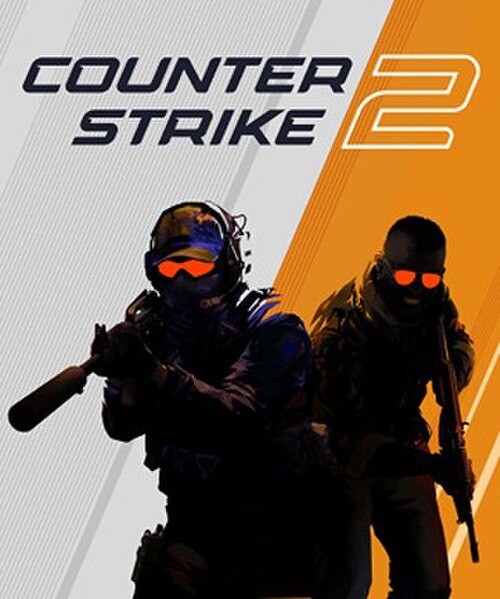
Counter-Strike 2 is one of the most-played games on Steam and one of the least forgiving for new players. No health regeneration, no respawns, and an economy system that punishes bad decisions for multiple rounds. This guide focuses on the fundamentals that actually matter in your first hours — and the habits that separate players who improve from players who stay stuck.
How CS2 Is Different From Every Other FPS
In most shooters, you can move and shoot accurately. In CS2, you cannot. Moving while shooting dramatically reduces accuracy — the crosshair spread expands to the point where shots are essentially random at any distance. This is the single most important mechanic to internalize before anything else.
The correct technique is called counter-strafing: tap the opposite direction key briefly before shooting. If you're moving left (holding A), tap D momentarily, then shoot. Your character decelerates instantly, and accuracy resets far faster than if you just let go of the movement key and wait. It becomes muscle memory after a few hours of deliberate practice.
The second major difference: no respawns mid-round. Every player death is permanent for that round. This means positioning and reading the situation before engaging matters more than reaction time. Most CS2 kills come from good positioning and crosshair placement, not from out-reflexing someone.
The Economy System Explained
Credits (money) in CS2 are earned per round based on:
- Killing an enemy: $300
- Winning the round: $3,250 (T side varies)
- Losing: $1,400 to $3,400 (scales with consecutive losses, maxing at 5 losses)
- Planting the bomb (T side): $300 bonus regardless of round outcome
The loss bonus system means losing several rounds in a row isn't as catastrophic as it sounds — you're banking money for a full-buy comeback round. This is called eco'ing: intentionally buying nothing (or minimum gear) to save money for a future round where your whole team can full-buy together.
Force buying is buying everything you can when your money is below full-buy threshold. It's sometimes necessary in a must-win 15th or 30th round, but force buying habitually disrupts team economy and leads to being permanently underfunded.
Watch your team's money in the scoreboard. If three teammates are below $3,000 going into a round, the team will likely eco. Going rogue with a full buy when the rest of your team has pistols makes their sacrifice pointless.
Starting Weapons — The AK-47 and M4A4/M4A1-S
On the Terrorist side: the AK-47 ($2,700) is your primary rifle. One headshot kills at any range regardless of armor. Its spray pattern is an inverted J: straight down for the first few shots, then pulling left. Learn this pattern in an offline bot match or Deathmatch before relying on it in real games.
On the Counter-Terrorist side: the M4A4 ($3,100) or M4A1-S ($2,900, silenced). The M4 variants don't one-tap through armor at all ranges like the AK — they require headshots or multiple body shots. The M4A1-S has lower ammo capacity but is quieter and more accurate.
Both rifles require the same thing: crosshair placement at head height, counter-strafing before firing, and controlled bursts rather than holding the trigger. Five rounds aimed at head height beats 30 rounds sprayed at body level in almost every scenario.
Map Basics — Start With Dust 2 or Mirage
Dust 2 is the most iconic CS map for a reason — it's well-balanced, well-lit, and has clear angles that teach good habits. Key callouts:
- Long A / Long: The long corridor from T spawn to A site. CT holds the corner at A Site/Long Corner.
- Short A / Catwalk: Faster route from T spawn to A site via cat and short.
- B site / Tunnels: Long tunnels from T side to B site. CT-side entrance is B Doors.
- Mid: Central area connecting Long and Short on A side; B site mid connectors.
Mirage is the other recommended starting map. It has cleaner angles, shorter time-to-engage distances, and heavy emphasis on mid control, which teaches rotational game sense well.
Learn one map at a time. Map knowledge compounds faster than aim, and a player who knows Dust 2 deeply will outperform a player with better aim who knows five maps shallowly.
Counter-Strafing — The Most Important Skill
To reinforce this: counter-strafing is the core technique that makes CS2 different from every other game, and it's what separates players who die confused from players who trade shots effectively.
Practice it deliberately:
- In Deathmatch or a bot server, move left (hold A) and practice tapping D before every shot.
- Move right (hold D) and practice tapping A before every shot.
- The goal is zero movement on the crosshair before the shot fires.
You'll know it's working when your first shot after movement consistently lands on target at medium range. The AK-47 first-shot accuracy when standing still is exceptionally tight — the challenge is getting yourself standing still before that first shot.
Grenade Basics
Grenades in CS2 are economy investments in the same way guns are: they cost money and their proper use changes round outcomes.
- Smoke grenade ($300): Blocks vision through an area for 18 seconds. Used to block CT sniper angles during pushes, or to block entry points during retakes. One smoke can change a round entirely.
- Flashbang ($200): Temporarily blinds players looking toward it. Best thrown to "pop" (explode) around a corner just before your teammate peeks. Flashbangs require lineups to be reliable.
- HE grenade ($300): Deals up to 98 damage. Used to finish off low-health opponents or chip enemies in predictable positions.
- Molotov/Incendiary ($400/$600): Burns an area, preventing enemy movement through it. Critical for slowing rushes on CT side.
On Dust 2, the single most useful smoke to learn first is the B Site CT smoke from T side Upper Tunnels — look up videos for the lineup. It blocks the CT's primary hold and enables B site executes without needing perfect aim.
PC Settings for CS2
CS2 rewards every FPS gain:
- Launch Option:
+fps_max 0in Steam launch options removes the FPS cap. Also add-nojoyto disable joystick support if unused. - Raw Input: On. Under Settings > Mouse, enable Raw Input. This ignores Windows mouse acceleration and delivers raw sensor data directly.
- Mouse sensitivity: 400 DPI on your mouse, 2.0 in-game is a common starting point. Many pros are even lower (0.8–1.5 at 400 DPI). If you're overshooting targets, lower it.
- V-Sync: Off, always. V-Sync adds input lag in exchange for preventing screen tearing. Not a worthwhile trade in a competitive shooter.
- Shadow Quality: Very Low. CS2's shadows are among the most FPS-expensive settings. Low shadows also make it easier to spot enemies in dark corners.
- MSAA Anti-Aliasing: Off or 2x maximum. Higher MSAA is expensive with minimal benefit at higher frame rates.
See our how to increase FPS on Windows guide for system-level tuning.
Common Beginner Mistakes
Spraying at long range. The AK's spray pattern becomes essentially random after the first 5–6 bullets. At long range (Long A, for example), single or double-tap shots with a full reset between them are correct. Holding the trigger at long range just wastes ammo and gives your position away.
Moving while shooting. Covered above, but it cannot be overstated. The single most common kill in beginner CS2 is an experienced player holding still, waiting for you to walk into their crosshair. Counter-strafe. Shoot while still.
Not checking common angles. Every map has spots where enemies commonly wait: corners, doorways, boxes. "Clearing" an area means checking each of those spots with your crosshair before exposing yourself. Pre-aiming these angles before you push means you're already on target when the enemy is there. Don't walk blindly past boxed corners.
Going for flashy plays over sound positions. Clutch plays look exciting in videos. They're built on deep map knowledge and precise execution that comes from hundreds of hours of play. Early on, the correct call is almost always: hold a position, wait for opponents to come to you, trade if necessary. Passive, disciplined play wins far more rounds than aggressive solo plays.
For more on hardware setup for CS2, see our best gaming mouse for FPS games guide.
Marcus Webb
Hands-on PC builder and gaming hardware writer at GameInfoZone. Focused on practical, no-hype advice for everyday gamers.
Need Help With Your Gaming Setup?
From custom builds to fixing low FPS and lag, our techs can help you get the most out of your gaming PC.
Request Gaming PC HelpGet Gaming Deals & Setup Tips
Join the GameInfoZone newsletter for gaming gear deals, PC build tips, and performance guides.
Related Articles

Valorant Beginner's Guide: Agents, Roles, and Core Strategy
A thorough beginner's guide to Valorant covering agent roles, economy basics, ability usage, and performance tuning.
Stardew Valley Beginner's Guide: Farm Layout, Early Priorities, and Time Management
A thorough beginner's guide to Stardew Valley covering farm layout choices, early-game priorities, time management, and core systems.

Rocket League Beginner's Guide: Car Control, Positioning, and Boost Management
A thorough beginner's guide to Rocket League covering car control basics, positioning, boost management, and performance tuning.